Invite Team Members
Add new team members and manage their roles within the platform.
team-invite-listView the list of pending team invitations.team-invite-createInvite new people to the team.team-invite-deleteCancel or delete a team invitation.resend-inviteResend a team invitation email.
This video shows how to invite new team members and set their roles and permissions.
Open in new tabOverview
Add new team members by accessing the team management section, sending invitations, and managing pending invites.
Step-by-Step Guide
1Access Team Settings
- Go to the platform's landing page
- Click Settings in the main navigation menu
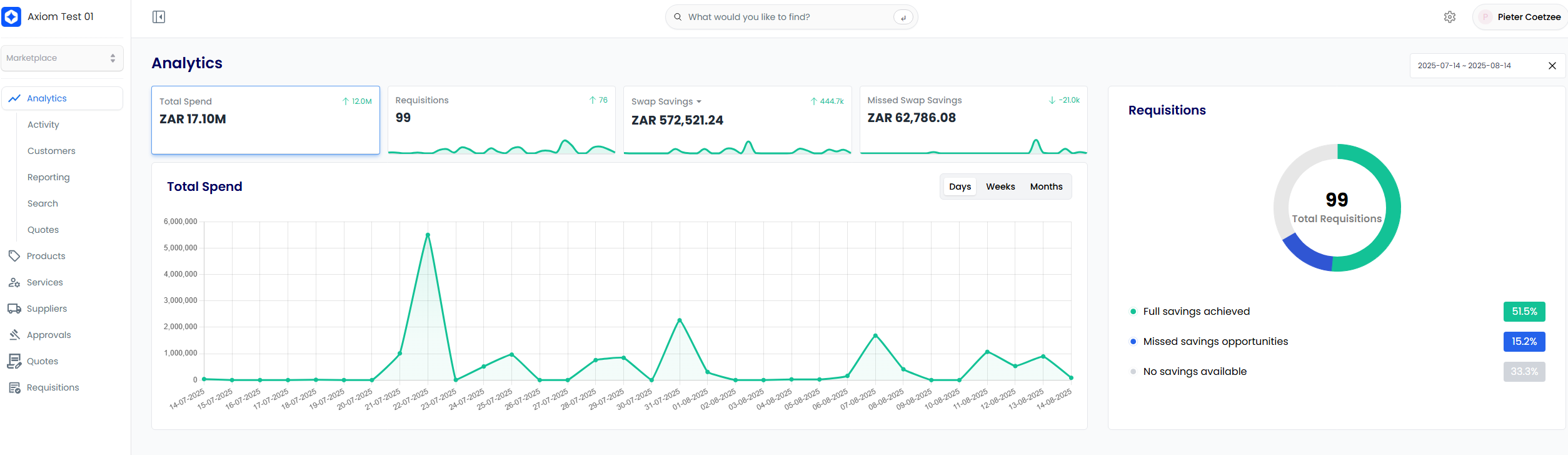
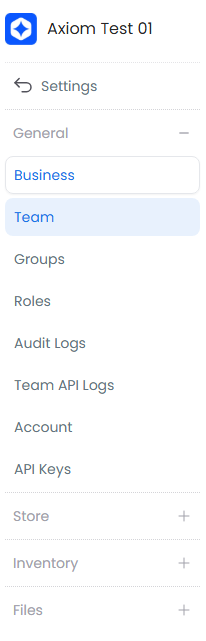
2Open Team Management
- Click Team in the left sidebar
3Create New Invitation
- Click + New member at the top of the page

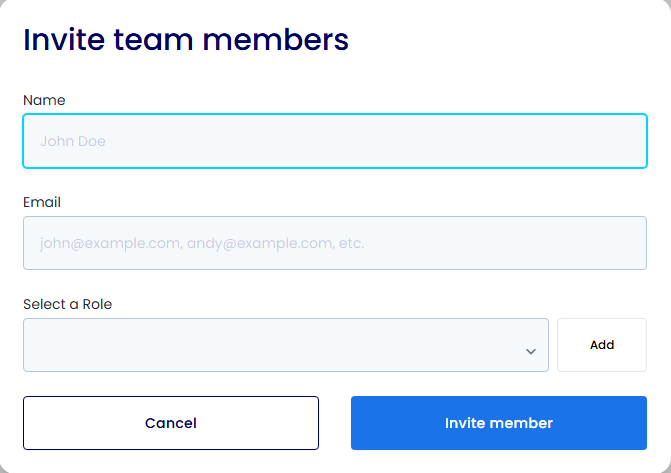
4Set Up Member Details
- Enter the new member's email address
- Select role(s) for the team member
- Add any additional information
- Click Send Invitation
5Track Invitations
- View pending invitations in the "Invitations" tab
- Monitor invitation status and resend if needed
- Manage existing invitations

Important Notes
- New members receive an email invitation to join the platform
- They must accept the invitation to gain access
- Invitations expire after 7 days
- You can resend or cancel invitations at any time
- Assign appropriate roles based on team member responsibilities