Rename Supplier Store
Update your supplier store name on the Axiom platform.
team-listView the current team's members and details.team-updateEdit a team's details and settings.
Overview
You can update your supplier store name through account settings to maintain accurate branding and adapt to organisational changes.
Step-by-Step Guide
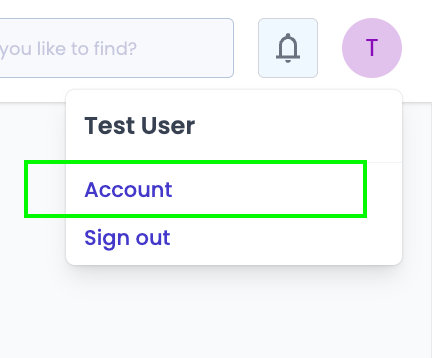
- Select the profile icon in the top right corner and select Account
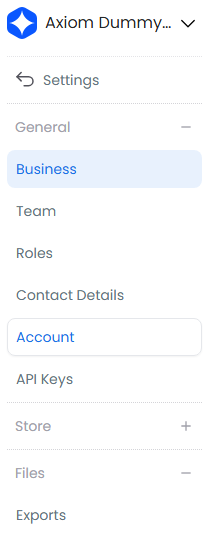
- Navigate to Business and review your current details
- Select Edit to enter modification mode

- Enter your new store name and select Save

- Log out and log back in to verify your new store name displays correctly
Important Notes
- Consider informing your regular buyers about significant name changes to maintain business continuity and avoid confusion