Product Recommendations
Add and manage product recommendations for your customers.
recommendation-rule-listView the list of recommendation rules.recommendation-rule-detailView the details of a recommendation rule.recommendation-rule-createCreate product recommendation rules.recommendation-rule-updateEdit recommendation rules.recommendation-rule-deleteDelete recommendation rules.recommendation-rule-csv-importImport recommendation rules from a CSV file.supplier-product-listView the list of products.supplier-product-detailView the details of a product.supplier-batch-request-listView the list of import requests.supplier-batch-request-showView the details of an import request.
Follow along with this tutorial to create and manage product recommendations.
Open in new tabOverview
You can recommend alternative products for any of your products. Store users will then see these recommendations on the relevant product pages. Create recommendations individually on product pages or import them in bulk using a CSV file.
Up to 3 recommendations can be provided for any one product. Each recommendation will display a reason for being recommended, e.g. Environmentally Friendly or Functionally Equivalent. The relative price difference will also be displayed to customers as a percentage.
Creating a Recommendation
- Navigate to the Products page and select the product
- On the product details page, scroll down to the Recommendations panel to view any existing recommendations

-
Select the + Recommendation button
-
Search by product identifier and select the product or variant you want to recommend, select the recommendation reason, then select Save to finish creating the recommendation
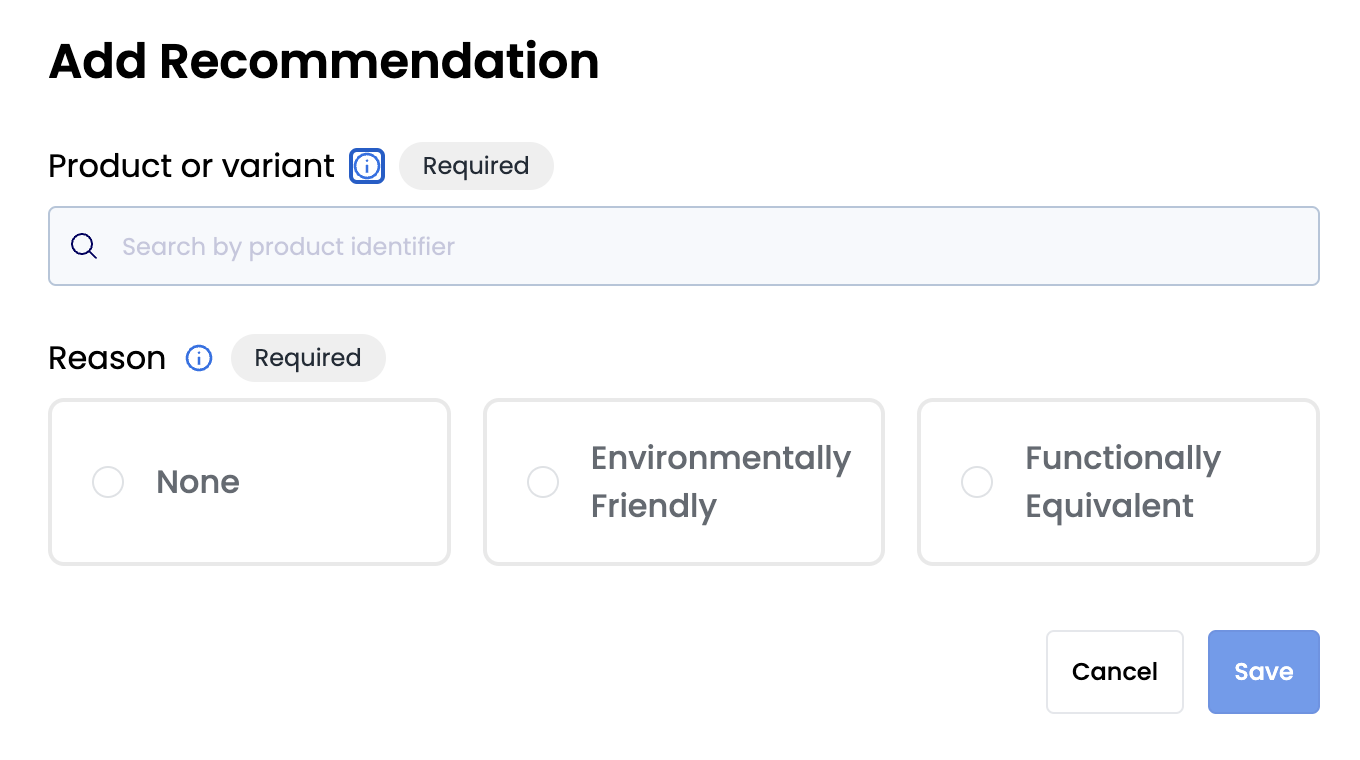
- The recommendation appears on the recommendations panel

Editing a Recommendation
-
Navigate to the Products page and select the product you want to edit a recommendation for
-
Within the Recommendations panel, select the dropdown menu button for the recommendation you want to edit, then select Edit

- Make the required changes, then select Save
Deleting a Recommendation
-
Navigate to the Products page and select the product you want to delete a recommendation for
-
Within the Recommendations panel, select the dropdown menu button for the recommendation you want to delete, then select Delete
Importing Recommendations
- Navigate to the File Imports page, select Import, then select Recommendations CSV file
- Download the CSV template if required and populate it, or complete your own CSV file — see here for more information on the fields

-
Drag and drop the file, or select Click to Browse to select the file. To upload, select Continue on the top-right of the page.
-
Visit the File Imports page to check on the status of the file import — the import type will be
Recommendations CSV
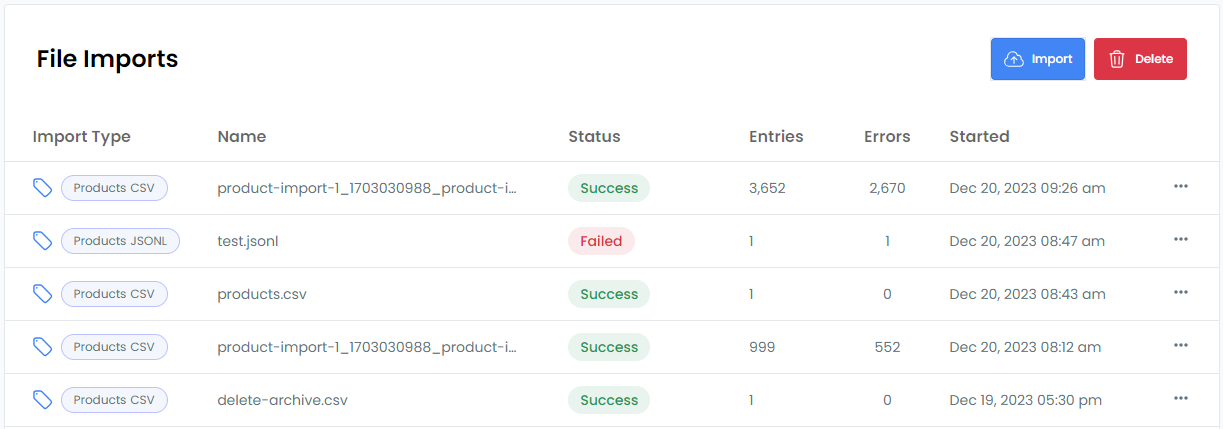
- Select the file import row to view details of any errors, download the error file, or download the original file

Import File Fields
Provide the following fields in your CSV file:
Here is a description of each field:
- type: whether the product you are creating a recommendation for is a
productorproduct_variant - identifier: the identifier of the product or variant you are creating a recommendation for
- recommendation_type: whether the product you are recommending is a
productorproduct_variant - recommendation_identifier: the identifier of the product or variant you are recommending
- recommendation_reason: the reason why you are recommending the product,
environmentally_friendly_alternativeorfunctional_alternative - command:
createfor creating recommendations