Managing Products in Multiple Countries and Languages
Make products available in multiple countries and languages.
product-createCreate products.product-updateEdit products.product-csv-importImport products from a CSV file.supplier-product-languagesView the languages a product is available in.
Overview
Products can be made available in multiple countries and languages through the following features:
- Upload products for specific countries without creating separate Supplier Stores
- Use the existing product onboarding process
- Create price lists for different countries
- Provide product information in multiple languages using the
language_codeparameter
Making Products Available in Other Countries
To make existing catalogue products available in other countries:
- Identify the products you would like to make available in different countries
- Create price lists for the relevant products in the desired countries
Adding Language Support to Products
To make existing catalogue products available in other languages:
- Identify the products you would like to make available in different languages
- Set the language code in the product import file to the desired language and fill out the relevant fields
Creating New Products for Different Countries
To create new products for multiple countries:
- Import the products you would like to make available in different countries. Optionally, import the information with different language codes if available.
- Create price lists for the products in the desired countries
Translating Products
Products can be imported in different languages to create translations. The default language for products is English.
If you have your product information available in German, you can import with the language specified as German. These products will then become available in German and will also be translated to become available in English.
If your products have already been imported in English or any other language, you can import new translations by using the same product or variant identifiers with the appropriate language_code (for example, de).
The German language versions of products will automatically be used for selling to Germany. The English versions will be used for selling in any other country that does not have product information supplied in the local language.
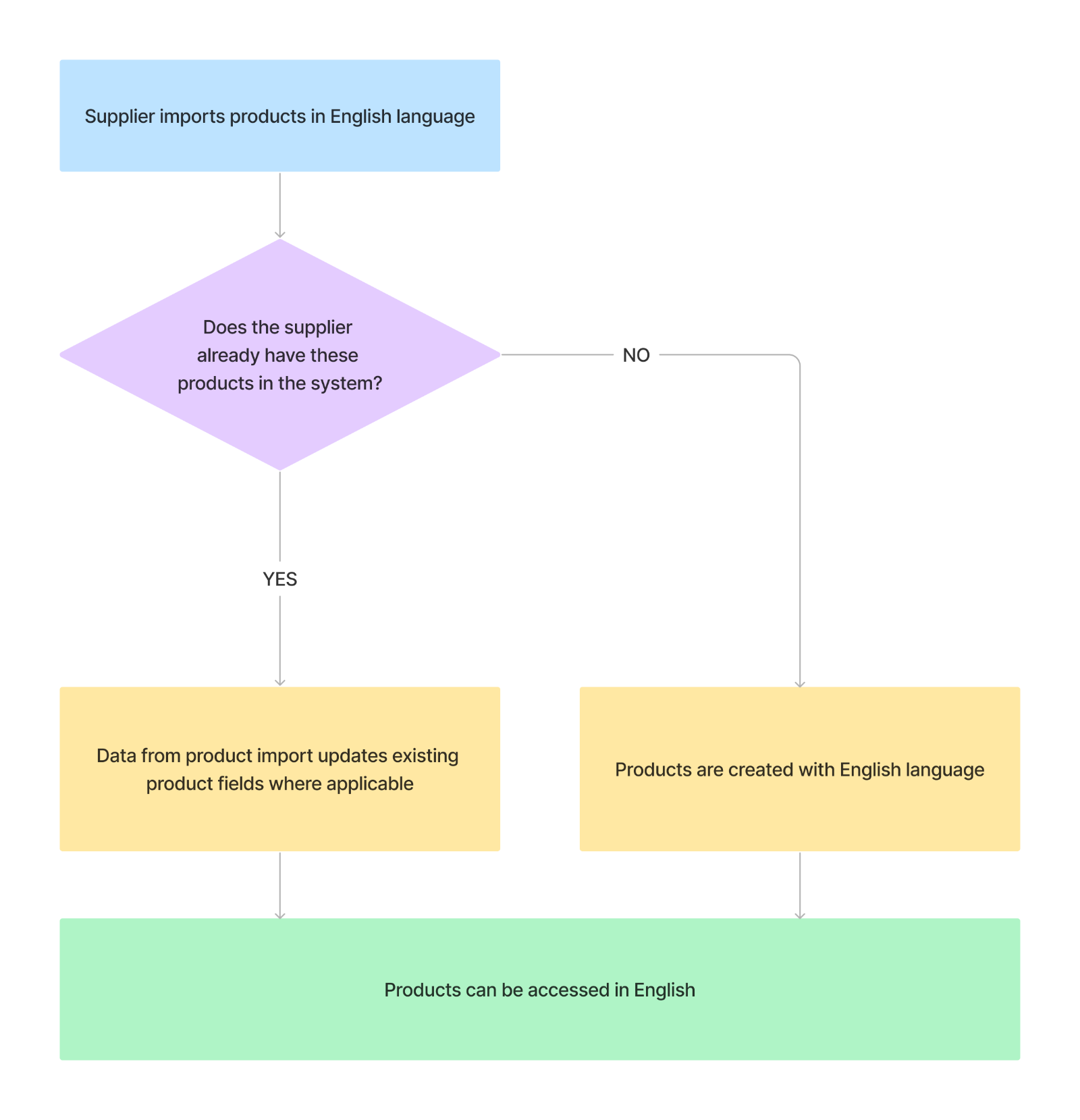
Import Products in English
The default language_code for creating a product or variant is English (en). If your product information is in English, you do not need to provide this field.
Import Products in a Different Language
If this is the first time importing these products, include the language_code field and the relevant value (for example, de) to indicate that the product information is in German. During import, default English translations are automatically created alongside the provided language.
If you have already imported these products in English or any other language, use the same product or variant identifiers for the new translations so that they can be correctly matched. Include the language_code field for the new language and the relevant value (for example, de).

Using the API
Creating Products in English
The default language_code for creating a product or variant is English (en). For English product information, you can omit this field.
Creating Products in Other Languages
When creating products in languages other than English:
- Use the create product or create variant endpoints
- Include the
language_codefield in the request body - Set the appropriate language value (for example,
defor German)
Example request body:
{
  "name": "Product Name in German",
  "language_code": "de"
  // The rest of the product information in German
}
Updating Product Languages
To update product information for a specific language:
- Use the update product or update variant endpoints
- Include the
language_codefield in the request body - Provide the updated information in the target language
Example request body:
{
  "name": "New Product Name in German",
  "language_code": "de"
  // The rest of the updated product information in German
}
- Overview
- Making Products Available in Other Countries
- Adding Language Support to Products
- Creating New Products for Different Countries
- Translating Products
- Import Products in English
- Import Products in a Different Language
- Using the API
- Creating Products in English
- Creating Products in Other Languages
- Updating Product Languages